Step 4: Knowledge Base
The knowledge base is like handing your agent a binder of your own documents and saying "answer from these." Upload files, add web page links, and the agent searches through them when answering — so its replies are grounded in your real information instead of only general knowledge.
Before you start
- A saved agent — at least the Profile step completed.
- The files or web page links you want the agent to use, ready to hand.
How it works
When you add a file or link, Nirvai reads it and breaks it into small, searchable pieces. Later, when someone asks a question, the agent finds the pieces that match and uses them to answer.
- When you add content: Files and links are read, broken into small pieces, and organized so they're easy to search.
- When someone asks a question: The agent searches those pieces for the ones that match and pulls them in as background information.
- In the reply: The agent uses those pieces — plus its instructions and general knowledge — to write a response.
This reading-and-organizing happens when you create or update the agent. Large files may take a moment. You'll see a progress indicator while it works.
Add files
Click the Knowledge node on the creation canvas, then upload files from your device.
Supported file types
| Type | File endings | Notes |
|---|---|---|
| Documents | PDF, DOCX, DOC, TXT | Best for manuals, guides, policies |
| Spreadsheets | CSV, XLSX | Each row becomes its own searchable piece |
| Markdown | MD, MDX | Great for structured content |
| Presentations | PPTX | Slide text is pulled out and read |
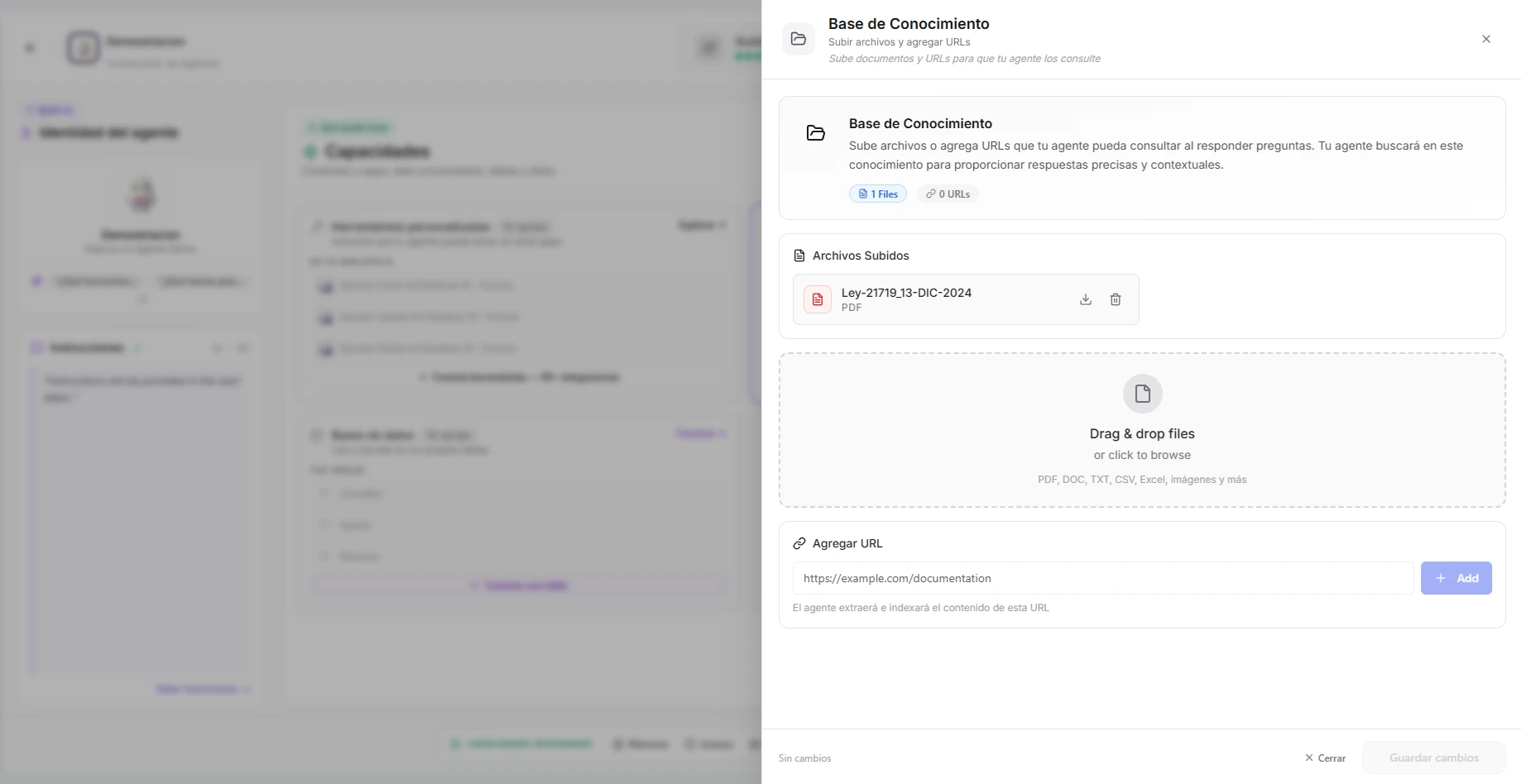 Image: The knowledge panel showing uploaded files with processing status
Tips for files
- Be selective — Upload only documents relevant to the agent's job. A support agent doesn't need your internal HR policies.
- Prefer well-organized content — Documents with clear headings and sections give better search results than long walls of text.
- Keep files current — If your product changes, upload the updated document. The agent always uses the latest version in its knowledge base.
- Mind the file size — Very large files are read, but may not be fully searchable. Split big documents into focused sections when you can.
Add web pages
You can also add a web page link. Nirvai opens the page, reads the text, and organizes it the same way as a file.
- Click "Add URL" in the knowledge panel.
- Paste the web address.
- The page is read and added.
When to add a web page
| Use case | Example |
|---|---|
| Product pages | Your pricing page, feature pages, or change log |
| Public help content | Help center articles, online guides |
| Blog posts | Articles the agent should be able to reference |
| FAQ pages | An existing list of common questions and answers |
A web page is read once, when you add it. If the page changes later, add the link again or update the agent so it reads the new version.
How searching works when someone asks
When someone asks a question, the agent doesn't read every document from start to finish. Instead:
- The agent picks out the key words in the question.
- It searches the organized pieces for matches.
- The best-matching pieces come back as background information.
- The agent uses those pieces — plus its instructions and general knowledge — to write a response.
This means the agent is best at answering specific questions about your content. It won't summarize a whole 100-page document in one reply, but it will find the exact section that answers "What's our refund policy?"
Use the same words your documents use. "What's the shipping policy for international orders?" works better than "Tell me about shipping."
Knowledge base vs. instructions
A common question: should information go in the knowledge base or in the agent's instructions?
| Put in knowledge base | Put in instructions |
|---|---|
| Large amounts of reference content | Short rules and behavior guidelines |
| Content that changes often | Tone and personality |
| Documents you already have (PDFs, guides) | Decision-making logic ("if X then do Y") |
| Information the agent should search through | Information the agent should always know |
Example: Your 50-page product manual goes in the knowledge base. "Always greet users by name and respond in a professional tone" goes in the instructions.
Troubleshooting
| Problem | Fix |
|---|---|
| The agent ignores the knowledge base | Confirm the file finished processing (no progress indicator still spinning). Then try a more specific question. |
| A file won't upload | Check it's a supported type (see the table above) and isn't unusually large. Split very large documents into smaller files. |
| The agent can't find something you know is in a document | Use the same wording the document uses. The agent matches on the words in your question. |
| An added web page is out of date | Pages are read only once. Add the link again, or update the agent, so it reads the latest version. |
| Answers feel too general | Make sure the right documents are actually uploaded for this agent, and that the question is specific. |
What's next
After uploading your knowledge, continue to Step 5: Database Connections.