Databases
Column Types
A plain-language reference for every kind of column you can add to a Nirvai database.
A column type is like the label on a box in your kitchen — it tells the box what belongs inside, so a jar marked "spices" never ends up holding forks. In a Nirvai database, each column has a type that says what kind of information it holds (a name, a date, a price, a yes-or-no answer). Nirvai uses that type to keep the data tidy, show it nicely, and make it easy to filter, sort, and collect through forms.
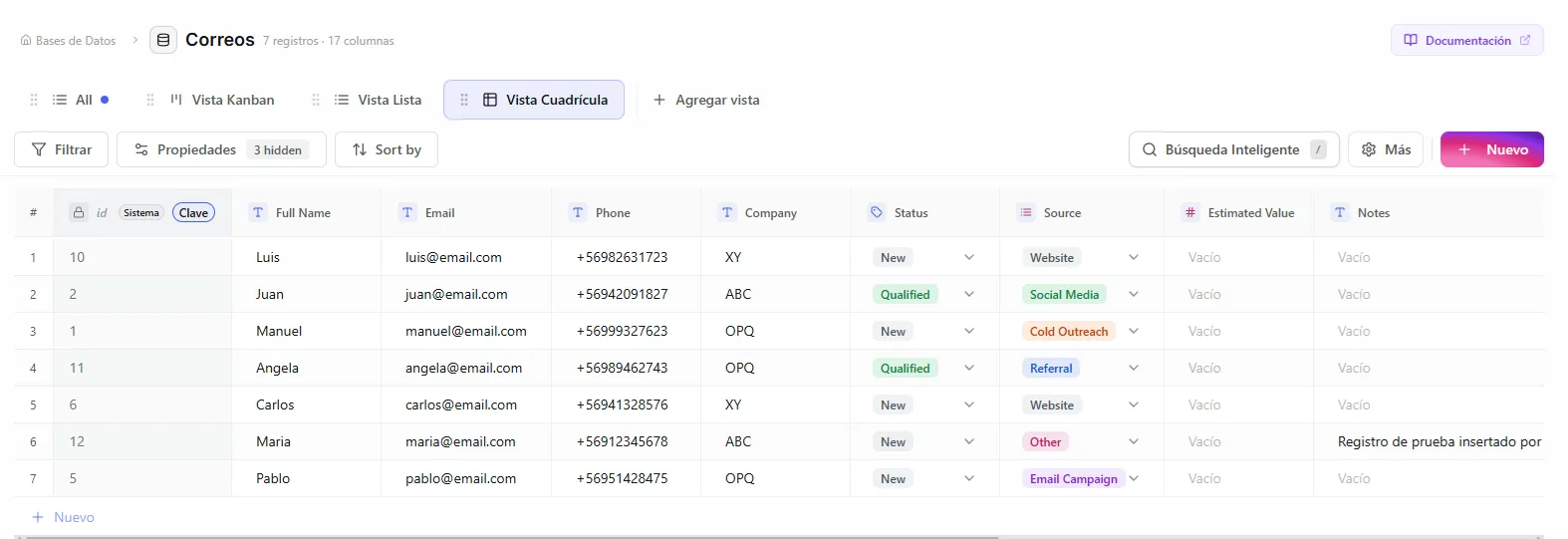 Image: Grid view showing several different column types side by side
Basic types
| Type | What it holds | Settings (default) |
|---|---|---|
| Text | Free-form text: names, descriptions, notes | Max length (255). Above 65,535 it switches to unlimited text. |
| Number | Whole numbers, decimals, or money amounts (42, 19.99) | Format: integer, decimal, or currency (integer); precision (10) and decimal places (2) for decimals |
| Date | A calendar date (2024-03-15), optionally with a time (2024-03-15 14:30) | Include time (No) |
| Checkbox | A yes-or-no tick box | Default value (No) |
Choice types
Each record picks from a list of options you decide ahead of time.
| Type | What it holds | Settings |
|---|---|---|
| Status | Pipeline stages as colored labels ("New", "In Progress", "Done") | Up to 10 options; a default status |
| Select | One option from a list of general categories ("Bug", "Feature Request") | Up to 20 options |
| Multi Select | Several options at once, shown as colored badges | Up to 20 options |
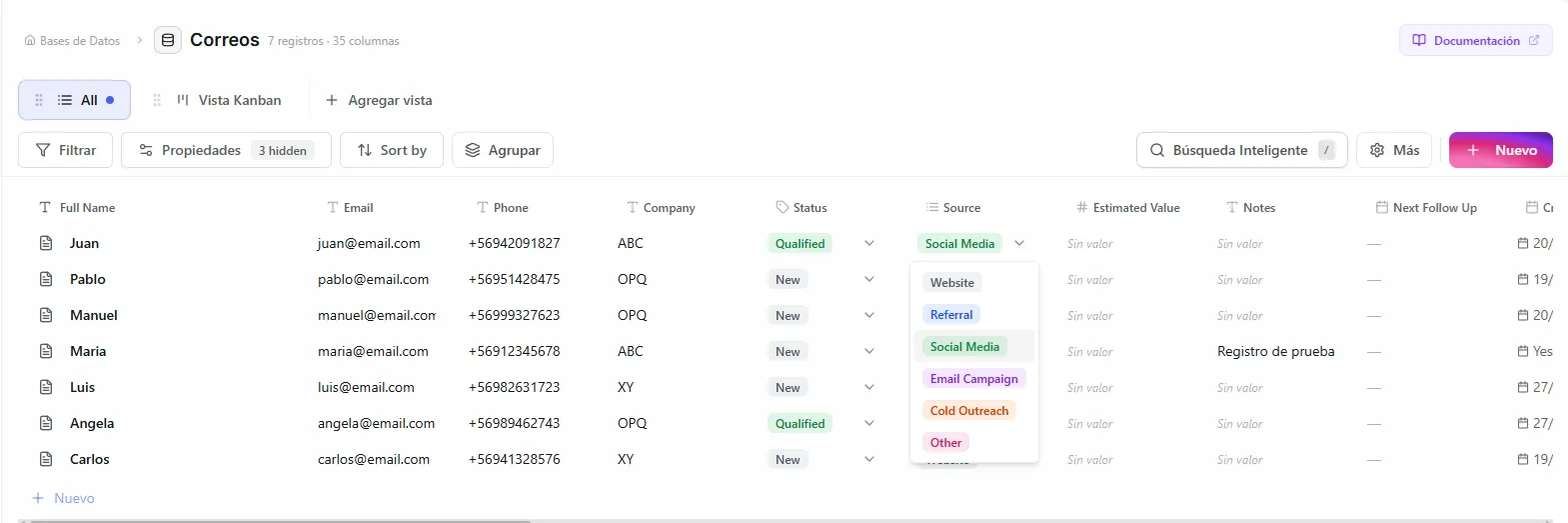 Image: Multi select column showing colored tag badges
Status columns power Kanban views — each status option becomes its own column on the board.
Contact types
| Type | What it holds | Settings (default) |
|---|---|---|
| Email addresses, checked for the right shape; clickable | Max length (320) | |
| URL | Web addresses; open in a new tab | Max length (2048) |
| Phone | Digits, spaces, dashes, parentheses, and an optional leading + (3–20 characters); click to call | — |
| Person | One or more people, shown as a stack of profile pictures | — |
The Person picker lists everyone who can access the database: the owner, your organization's members (if the database is shared), and guests from any view's guest list.
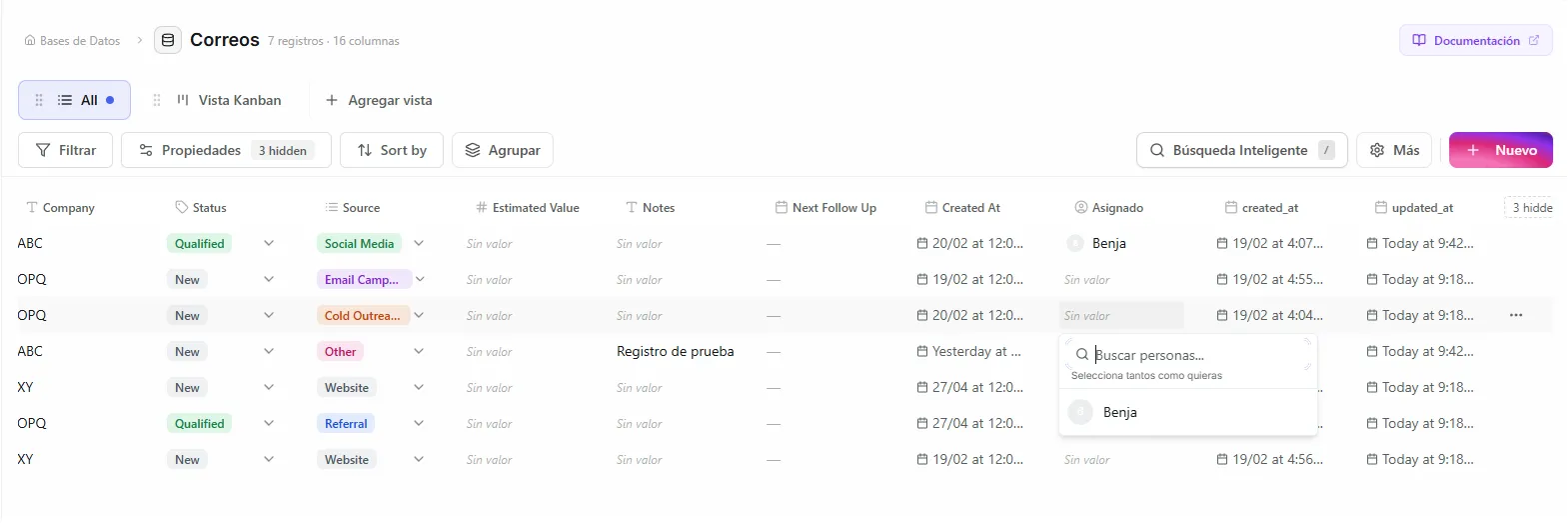 Image: Person column showing assigned team members with profile pictures
Media types
| Type | What it holds | Settings (default) |
|---|---|---|
| File | One file per cell, any type (documents, images, spreadsheets…) | Max size in MB (10) |
| UUID | An automatic unique code (Universally Unique Identifier) like 550e8400-e29b-41d4-a716-446655440000, handy when another system needs a stable way to point at each record | Auto generate (Yes) |
File cells take drag-and-drop uploads, show image thumbnails and a color-coded file-type badge (red for PDF, blue for DOC, green for XLS), and download in one click. Automations can pass these files on — attach them to an email, save them into a Project, or copy them to another record. See Files in Automations.
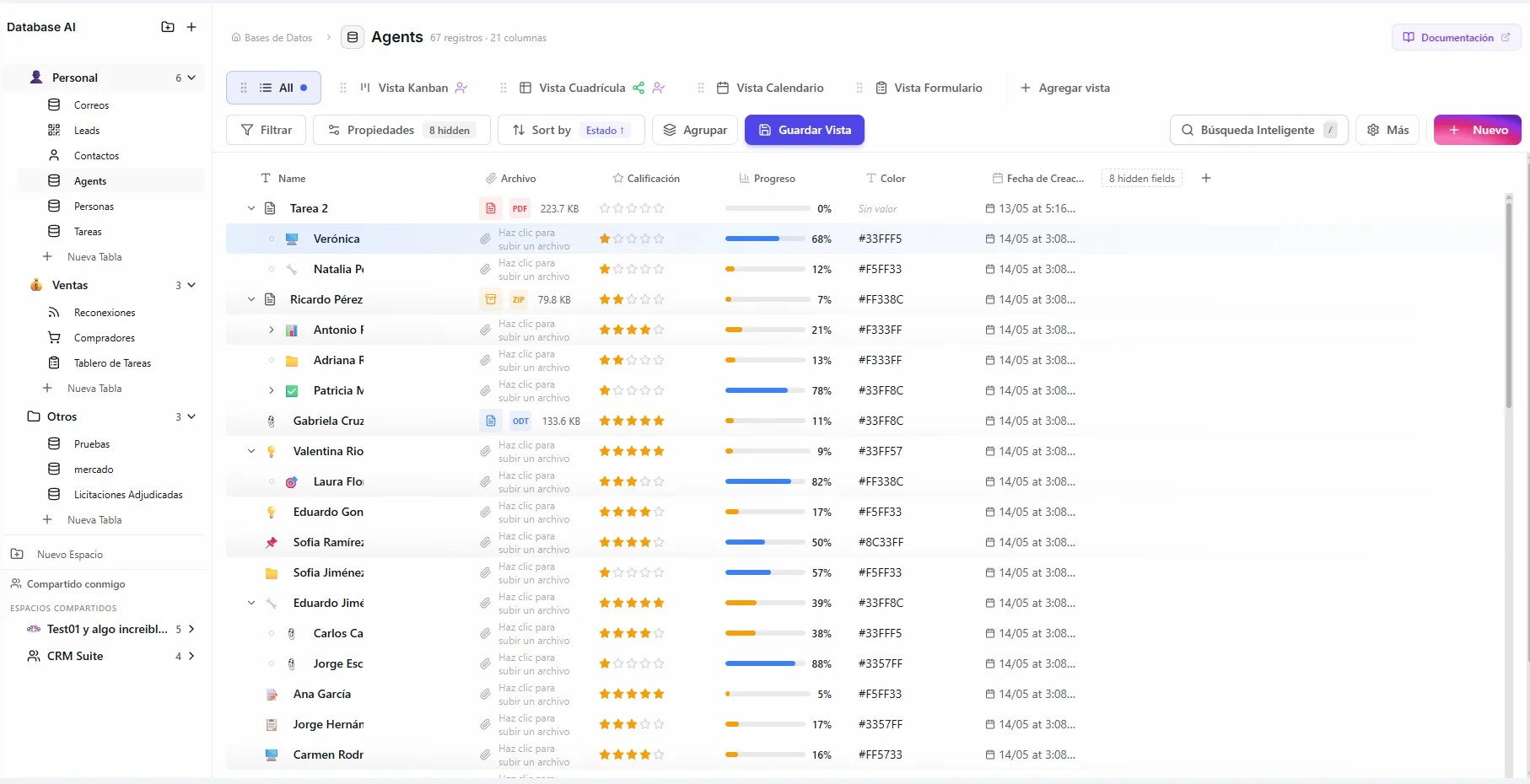 Image: File column showing an uploaded document with its file-type badge and size
Measurement types
| Type | What it holds | How it shows |
|---|---|---|
| Rating | Stars from 1 to a max you choose (3–10, default 5) | Filled and empty stars. Click a star to rate; click it again to clear. |
| Currency | Money in USD, EUR, GBP, JPY, MXN, BRL, CAD, AUD, CLP, COP, ARS, or PEN (default USD) | Symbol and decimals follow the currency: $19.99 (USD), 19,99 EUR, $19.990 (CLP, no decimals) |
| Progress | A percentage from 0 to 100 | A bar: amber below 50%, blue 50–99%, green at 100% |
| Duration | A length of time, stored in seconds | 1h 30m. You type minutes in a cell; forms show separate hour and minute boxes. |
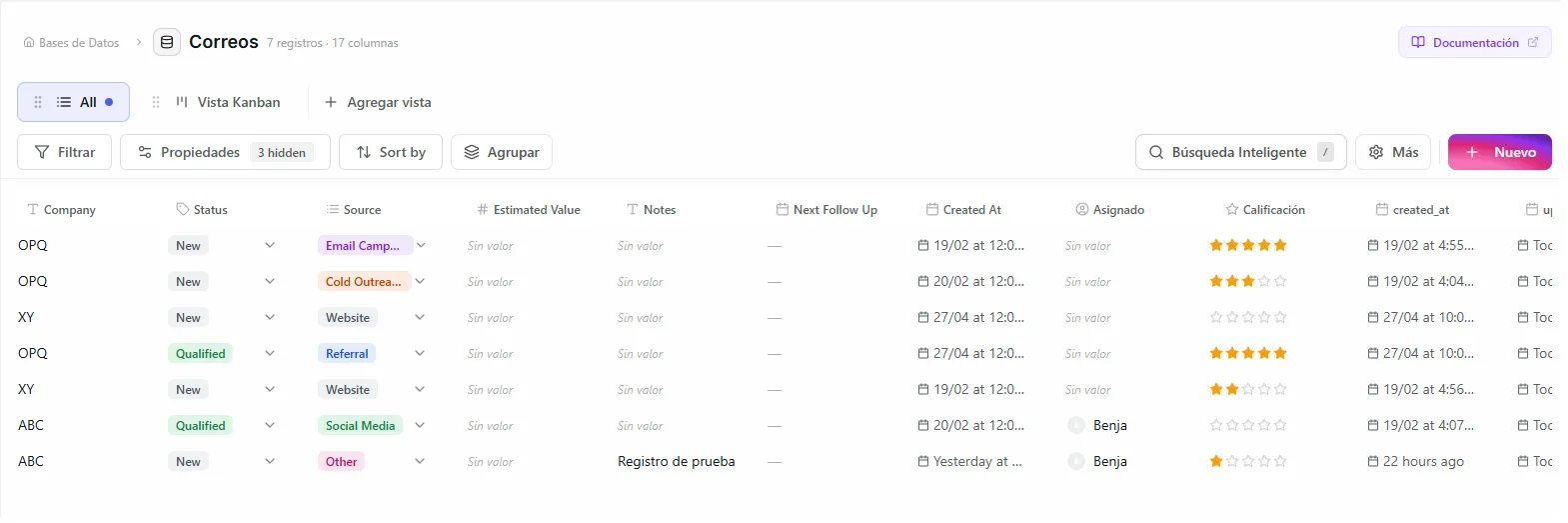 Image: Rating column showing star ratings
Relation
A Relation links a record to one record in another database — a Deal to a Contact, or a Task to a Project. Click an empty cell to pick a space, then a database, then search and pick the record. Cells that already have a value jump straight to the search step. Each link shows as a chip with the record's icon and title.
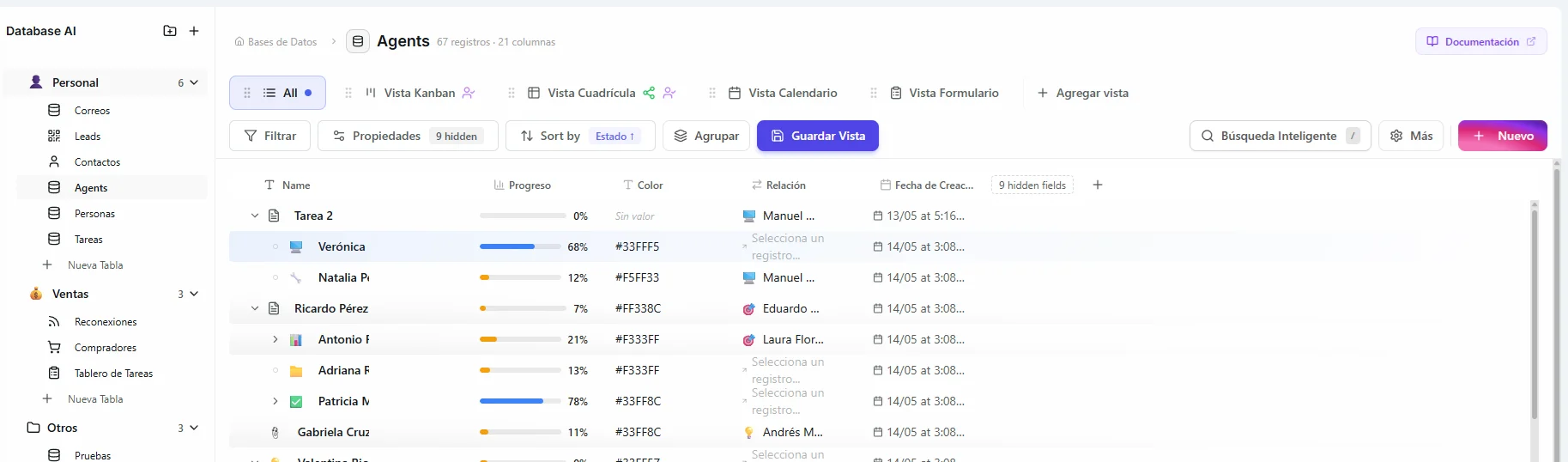 Image: A table with a Relation column linking each record to a record in another database
Relations point one way only. Linking Deal A to Contact B doesn't link Contact B back to Deal A — add a relation column on the other side if you want both.
What each type supports
Person and Relation aren't available in public forms: a form visitor isn't signed in, so there's no one to offer and nothing to search.
| Type | Filter | Sort | In forms |
|---|---|---|---|
| Text, Number, Date, Checkbox | Yes | Yes | Yes |
| Status, Select, Multi Select | Yes | Yes | Yes |
| Email, URL, Phone | Yes | Yes | Yes |
| Rating, Currency, Progress, Duration | Yes | Yes | Yes |
| Person | Yes | No | No |
| File | Limited | No | Yes |
| UUID | Yes | Yes | No |
| Relation | Limited | No | No |
What's next
- Records — add and edit the data that fills your columns.
- Filtering & Sorting — the filter rules each column type offers.