Channels
Choose a channel
The places your agent can talk to people, what each one is best for, and the rules they all share.
Channels are like the different doors customers use to reach your business. A channel is where people reach your agent: a web link, WhatsApp, Slack, your website and more. Connect one, and messages flow in and the agent replies on its own, day or night.
To connect one, open your agent in the builder (Edit in the Agents center) and choose Channels in the left menu.
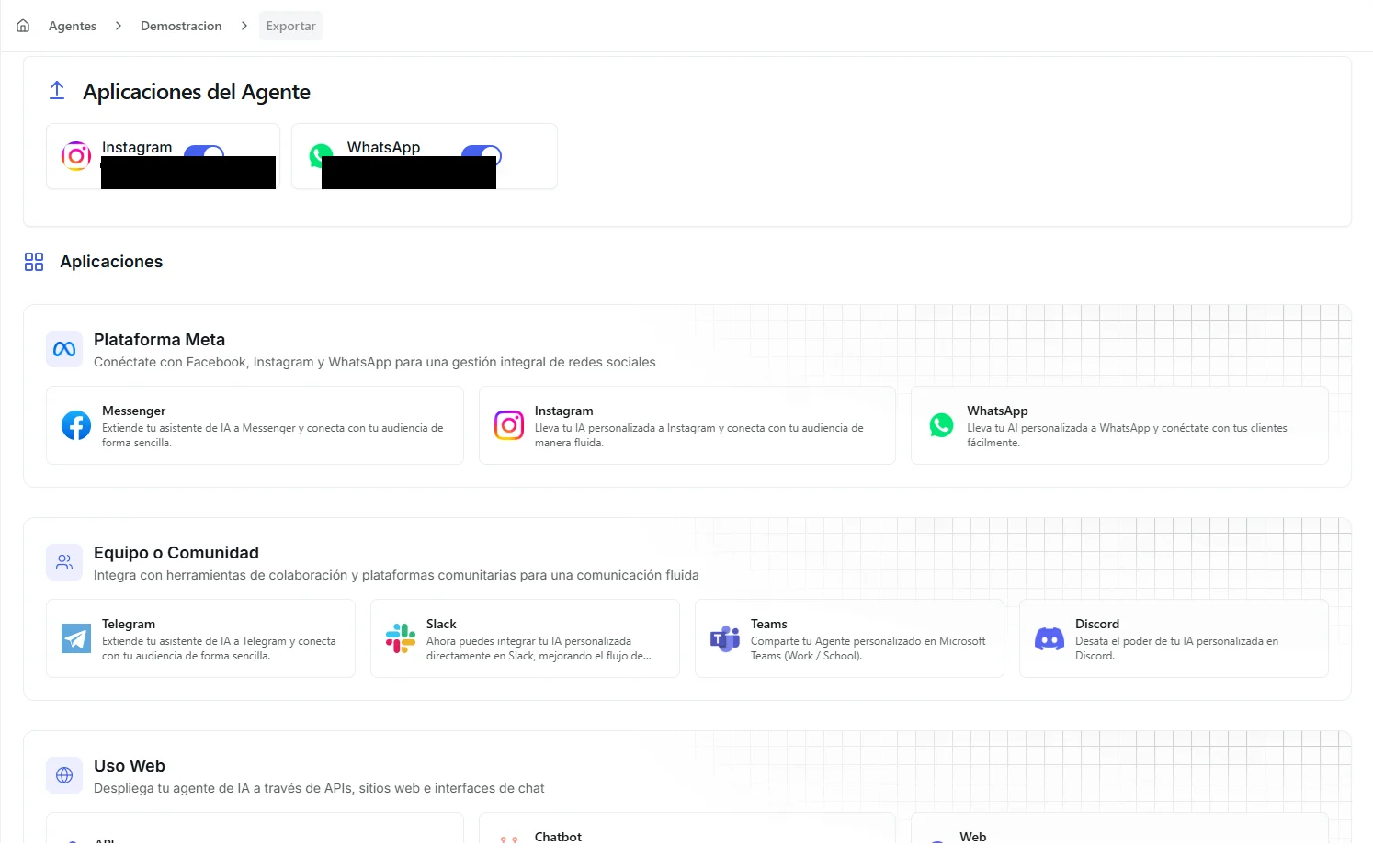 Image: The channel export view showing available platforms organized by category
Which channel fits?
| Channel | Best for | How you connect |
|---|---|---|
| Web Chat Page | A full-page chat with your branding, opened from a link you share | One click, no setup |
| Chatbot Widget | A chat bubble on your own website | Copy a small snippet of code into your site |
| Customers messaging your business phone number | Sign in with Facebook | |
| DMs to your Instagram business account | Sign in with Facebook | |
| Messenger | Messages to your Facebook Page | Sign in with Facebook |
| Telegram | A public bot anyone can chat with | Paste a secure access pass from BotFather |
| Slack | An assistant inside your team's Slack workspace | Paste a secure access pass from Slack |
| Discord | A bot in your community's Discord server | Paste a secure access pass from Discord |
| Microsoft Teams | An assistant inside your company's Teams | Sign in with Microsoft |
| API | Building Nirvai into your own app | Use a private code in your own requests |
A channel is a door into your agent: your customer sends the message. An integration is your agent reaching out to an app like HubSpot or Gmail. You don't need a credential to put your agent on WhatsApp or Instagram; that's a channel.
Rules every channel shares
- One agent, many channels. The same agent, with the same instructions and tools, can answer on every channel at once.
- One of each Meta channel per agent. An agent can have one WhatsApp, one Instagram and one Messenger connection. For a second WhatsApp number, create a second agent.
- Sign in to Meta once. A saved Meta Platform Credential can be reused for WhatsApp, Instagram and Messenger.
- Step in as a human. On WhatsApp, Instagram, Messenger and the chatbot widget you can watch conversations live (the Inbox, or the agent's Conversations), pause the agent on one conversation, and reply yourself.
- One message at a time. The agent finishes its current reply first. Messages that arrive meanwhile are saved and answered right after.
- Files are part of the message. When someone sends a photo, document or voice note, the agent just answers. There's no separate "uploaded" confirmation.
What each channel can send
Your agent shapes its replies to fit what each platform allows:
| Platform | Text | Images | Files | Audio | Buttons | Templates |
|---|---|---|---|---|---|---|
| ✓ | ✓ | ✓ | ✓ | ✓ | ✓ | |
| ✓ | ✓ | — | — | ✓ | — | |
| Messenger | ✓ | ✓ | — | — | ✓ | — |
| Telegram | ✓ | ✓ | ✓ | ✓ | ✓ | — |
| Slack | ✓ | ✓ | ✓ | — | — | — |
| Discord | ✓ | ✓ | ✓ | — | — | — |
| Teams | ✓ | ✓ | ✓ | — | — | — |
| Web / Chatbot | ✓ | ✓ | ✓ | ✓ | — | — |
On the web chat page, files and audio are what the agent can send. Visitors there type; they don't attach.