Channels
Channels are like the different doors customers can use to reach your business — your agent shows up wherever they already chat. Your agent lives inside Nirvai, and each channel gives people a new way to talk to it: WhatsApp, Instagram, Slack, Telegram, Discord, your own website, and more. Once a channel is connected, messages flow in and the agent replies automatically, just like a real teammate.
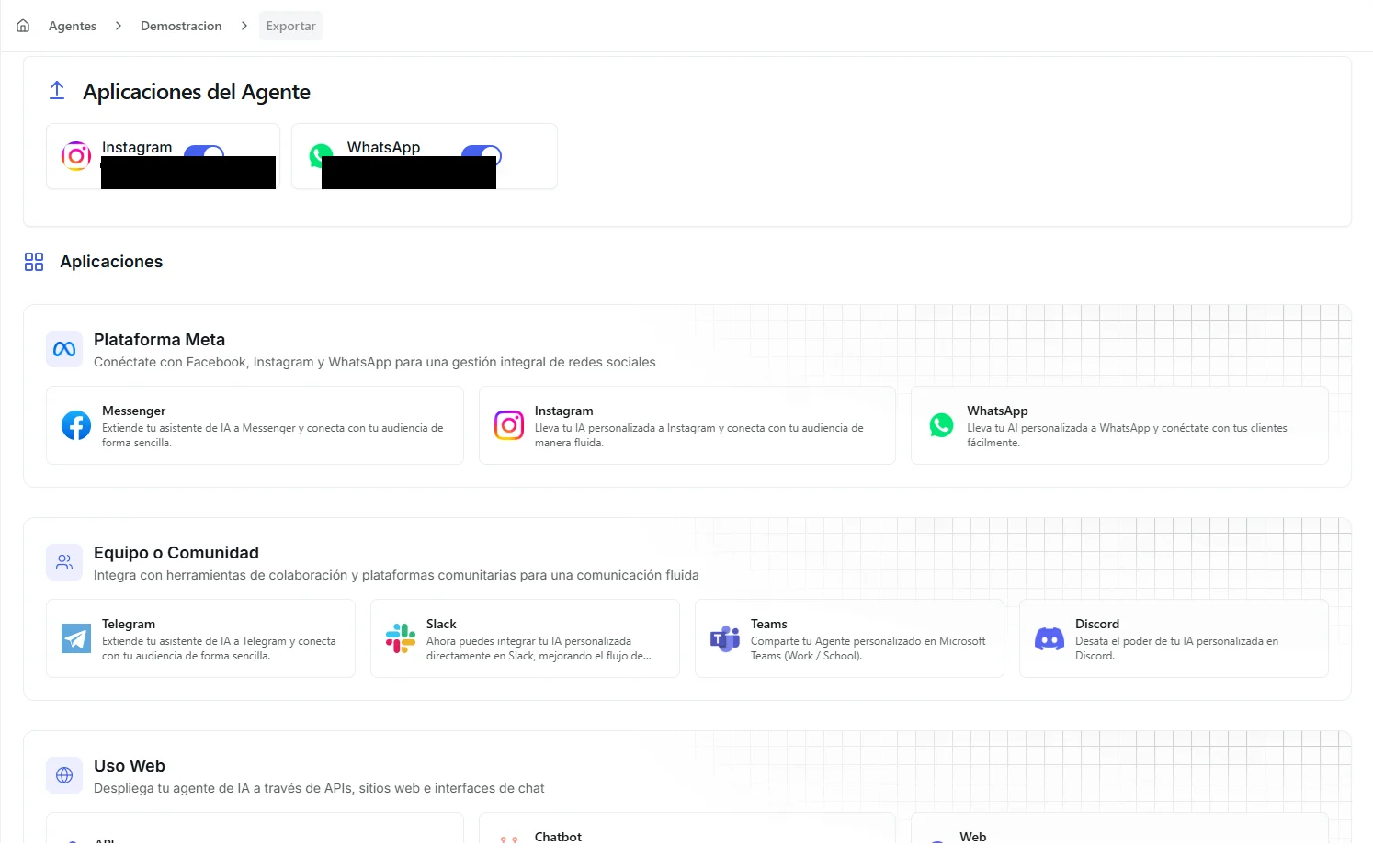 Image: The channel export view showing available platforms organized by category
What you can do here
| You can… | What that means for you |
|---|---|
| Connect your agent to a messaging app | Customers reach your agent on WhatsApp, Slack, Telegram, and more — no app to install |
| Let your agent reply automatically | Every message gets an instant answer, day or night |
| Step in as a human when needed | Pause the agent on a single conversation and reply yourself |
| Reuse a saved sign-in | Once you've signed in with Facebook for WhatsApp, Instagram, or Messenger, reuse it without signing in again |
| Embed a chat on your own website | Add a chat window or share a public link so anyone can talk to your agent in a browser |
Channels available
| Channel | Best for | How you connect |
|---|---|---|
| Customers messaging your business phone number | Sign in with Facebook | |
| DMs to your Instagram business account | Sign in with Facebook | |
| Messenger | Messages to your Facebook Page | Sign in with Facebook |
| Telegram | A public bot anyone can chat with | Paste a secure access pass from BotFather |
| Slack | An assistant inside your team's Slack workspace | Paste a secure access pass from Slack |
| Discord | A bot in your community's Discord server | Paste a secure access pass from Discord |
| Microsoft Teams | An assistant inside your company's Teams | Sign in with Microsoft |
| Web Chat Page | A full-page chat of its own, with your branding, that anyone you send the link to can open | One click — no setup |
| Chatbot Widget | A chat bubble on your own website | Copy a small snippet of code into your site |
| API | Building Nirvai into your own app | Use a private code in your own requests |
Channels vs. credentials
These two things sound similar but do opposite jobs. This is a common point of confusion:
| Channels | Credentials | |
|---|---|---|
| Direction | Two-way — users send messages in, your agent responds | One-way — your agent pushes information out to a service |
| Purpose | Let users talk to your agent on a platform | Let your agent use an outside service (send emails, update a CRM, and so on) |
| Example | A customer chats with your agent on WhatsApp | Your agent uses a Gmail connection to send a confirmation email |
You don't need a credential to put your agent on WhatsApp or Instagram — that's a channel. You'd only need a credential for a messaging platform if you want your agent to send notifications somewhere (like posting alerts to Slack), which is a one-way push.
How it fits together
A few things to know first
Before you connect any channel, you need two things in hand:
- A created agent — complete at least the Profile step in the Agent Control Panel.
- Access to the channel view — open your agent in the Agent Control Panel and click the Channels node.
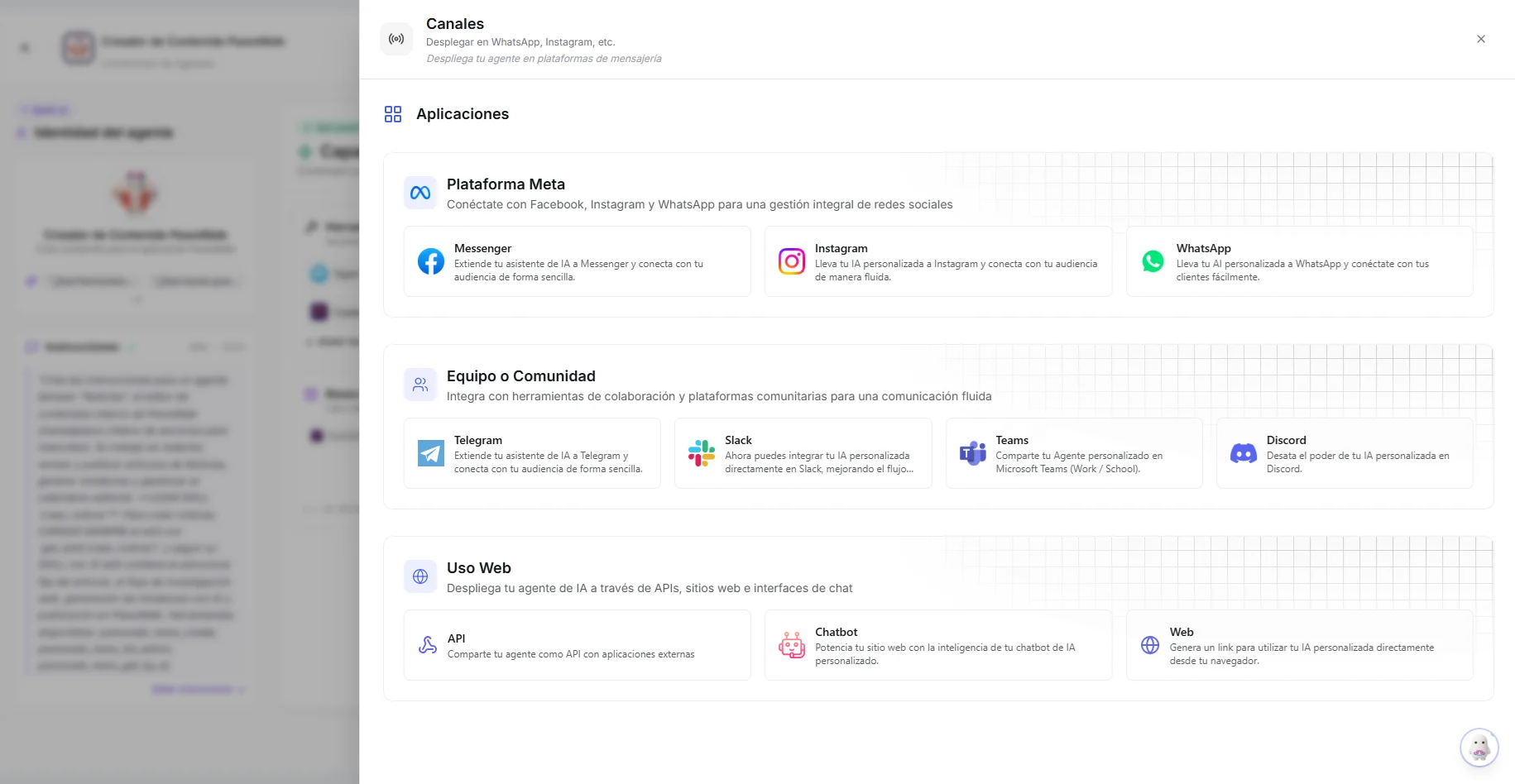 Image: Opening the channels panel from the Agent Control Panel flow view
A few rules that apply across platforms:
- One agent per Meta platform. For WhatsApp, Instagram, and Messenger, you can connect one of each per agent. If you need a second WhatsApp number handled by AI, create a separate agent for it.
- Reuse a Meta connection. If you already saved a Meta Platform Credential for WhatsApp, Instagram, or Messenger, you can pick it when connecting a channel — no need to sign in with Facebook again.
- Step in when a human is needed. WhatsApp, Instagram, Messenger, and the chatbot widget include a Chat View in the Agent Control Panel, where you can watch conversations live, switch the agent off for a single conversation, and reply yourself. This is essential for customer support.
- One message at a time. On every channel, your agent finishes its current reply before starting the next one — extra messages that arrive while it's still answering are saved and handled as soon as it's done.
- Files are read as part of the message. When someone sends a photo, document, or audio note, the agent just answers — there's no separate "uploaded" confirmation.
Which message types each platform supports
Each platform allows different kinds of messages. Your agent automatically shapes its replies to fit what the platform permits:
| Platform | Text | Images | Files | Audio | Buttons | Templates |
|---|---|---|---|---|---|---|
| ✓ | ✓ | ✓ | ✓ | ✓ | ✓ | |
| ✓ | ✓ | — | — | ✓ | — | |
| Messenger | ✓ | ✓ | — | — | ✓ | — |
| Telegram | ✓ | ✓ | ✓ | ✓ | ✓ | — |
| Slack | ✓ | ✓ | ✓ | — | — | — |
| Discord | ✓ | ✓ | ✓ | — | — | — |
| Teams | ✓ | ✓ | ✓ | — | — | — |
| Web / Chatbot | ✓ | ✓ | ✓ | ✓ | — | — |
On the web chat page, files and audio are what the agent can send — visitors there type, they don't attach.
What's next
Channels are grouped into three families. Pick the platform your users already use.
Meta platforms

Chat with customers on WhatsApp Business with templates and media support

Respond to Instagram DMs from your business account automatically

Messenger
Handle Facebook Page messages with your AI agent
Team & community

Telegram
Turn your agent into a Telegram bot anyone can search for and chat with

Slack
Add your agent to a Slack workspace so teammates can ask it questions

Discord
Add your agent as a bot inside your Discord community

Microsoft Teams
Install your agent as a Teams app in your organization