Settings
The Settings page is the control center for your account — one place with all the dials and switches for everything that's yours: your profile picture and theme, your subscription, your credits, and your team. It's where you steer how Nirvai looks and behaves for you.
To open Settings, click your profile icon in the bottom-left corner of the sidebar and select Settings, or navigate directly from the menu.
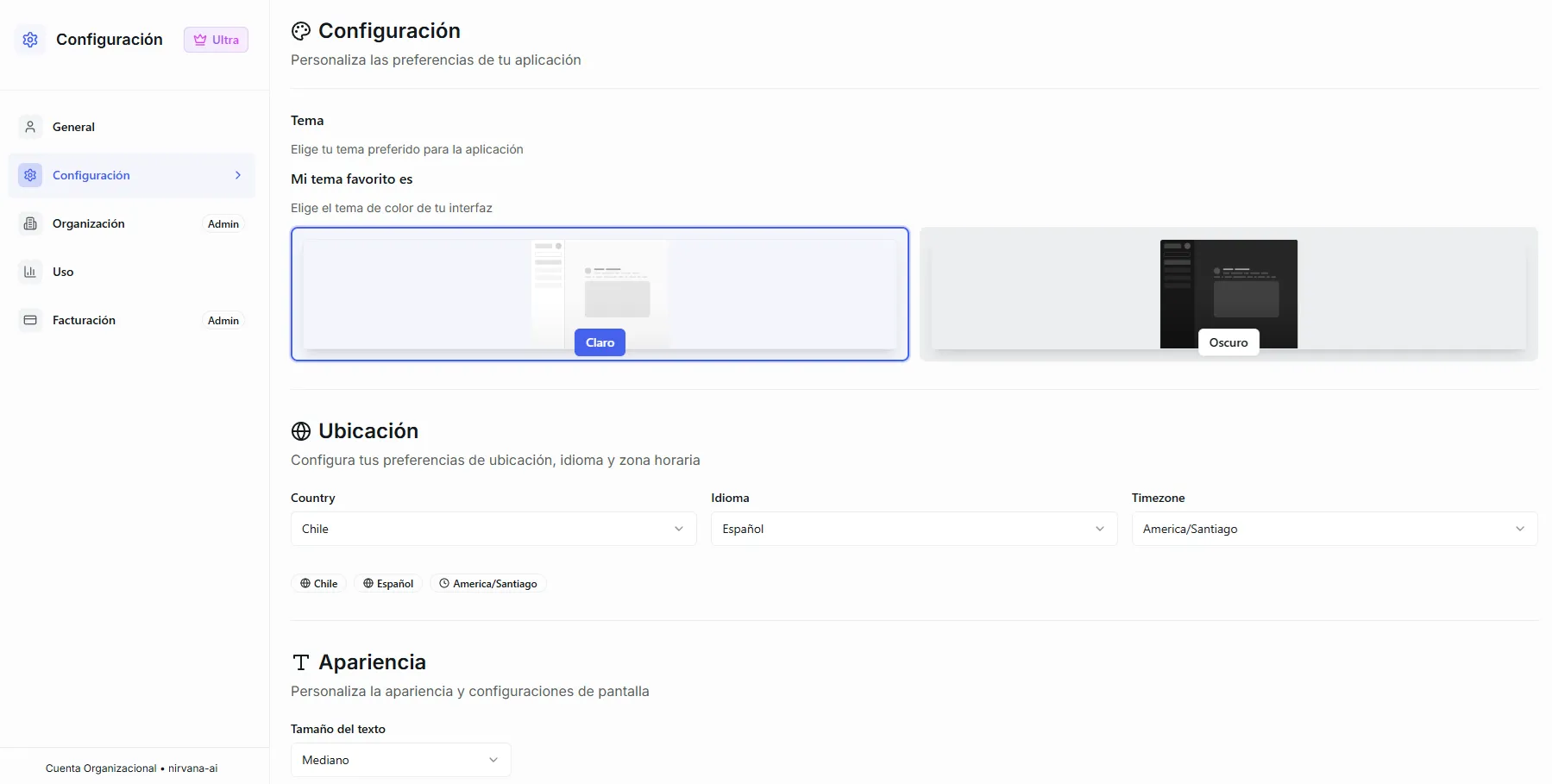 Image: The Settings page showing the left sidebar with all available tabs
How Settings Is Organized
Settings is split into tabs on the left sidebar. Some tabs are available to everyone, while others are only visible to organization admins.
| Tab | What It Does | Who Can Access |
|---|---|---|
| General | Profile picture, username, email, and password | Everyone |
| Configuration | Theme, language, timezone, and font size | Everyone |
| Organization | Team members, license code, and role management | Admins only |
| Usage | Credit spending history, balance, and export | Everyone |
| Billing | Subscription plan, payments, auto-refill, and Stripe portal | Admins only |
If you don't see the Organization or Billing tabs, it means your account has a "member" role. Ask your organization admin if you need access to those features.
What's next
User Configuration
Set up your profile, theme, language, and timezone
Organization
Manage your team, invite members, and assign roles
Credits
Understand how credits work and how to keep your agents running
Usage
Track credit spending by user, agent, and category
Billing
Manage your subscription, payments, and auto-refill
Your Subscription Badge
At the top of the Settings sidebar you'll see a badge showing your current plan:
| Badge | Meaning |
|---|---|
| Basic | Free tier with limited credits |
| Pro | Pro subscription with more credits and features |
| Ultra | Ultra subscription with the highest credit allocation and all features unlocked |
At the bottom of the sidebar, you'll also see whether you're on a Personal Account or an Organization Account along with the organization name.
Common Questions
How do I know if I'm an admin? If you can see the Organization and Billing tabs in Settings, you're an admin. Members only see General, Configuration, and Usage.
Can I change my email or username? Currently, your email and username are read-only and cannot be changed from the Settings page. Contact support if you need to update them.
Where do I see how many credits I have left? Go to the Usage tab to see your full credit balance, or the Billing tab (admin only) to purchase more.